Contact us

10 Tips for Buying Kids Walkie Talkies?

Choosing the right Kids Walkie Talkies can make outdoor play safer, clearer, and more enjoyable. A good pair should match a child’s age, hand size, attention span, and usual play environment. However, colorful designs can hide weak microphones, confusing controls, or fragile battery covers.

This guide shares ten practical tips based on product specifications, hands-on comparisons, and common parent concerns. It examines communication range, sound quality, battery performance, durability, controls, and comfort. Range claims deserve careful attention. Walls, trees, hills, and nearby electronics can reduce performance sharply. A device advertised for several miles may work only a few blocks away in a neighborhood.

Small details matter. Can a child press the talk button while wearing gloves? Is the screen readable beside a sunny playground? Does the speaker remain understandable near a noisy backyard? These questions reveal more than packaging promises. Safety features also deserve attention, including volume limits, secure battery compartments, and simple channel settings.

Real use is rarely perfect. I once underestimated how quickly rechargeable batteries drained during a full afternoon outside. That mistake changed how I evaluate standby claims. Families should also consider charging time, replacement batteries, and storage between adventures. The best Kids Walkie Talkies are not always the most expensive models. They are reliable, simple, comfortable, and suitable for the child using them. A thoughtful purchase can prevent frustration and keep communication fun.
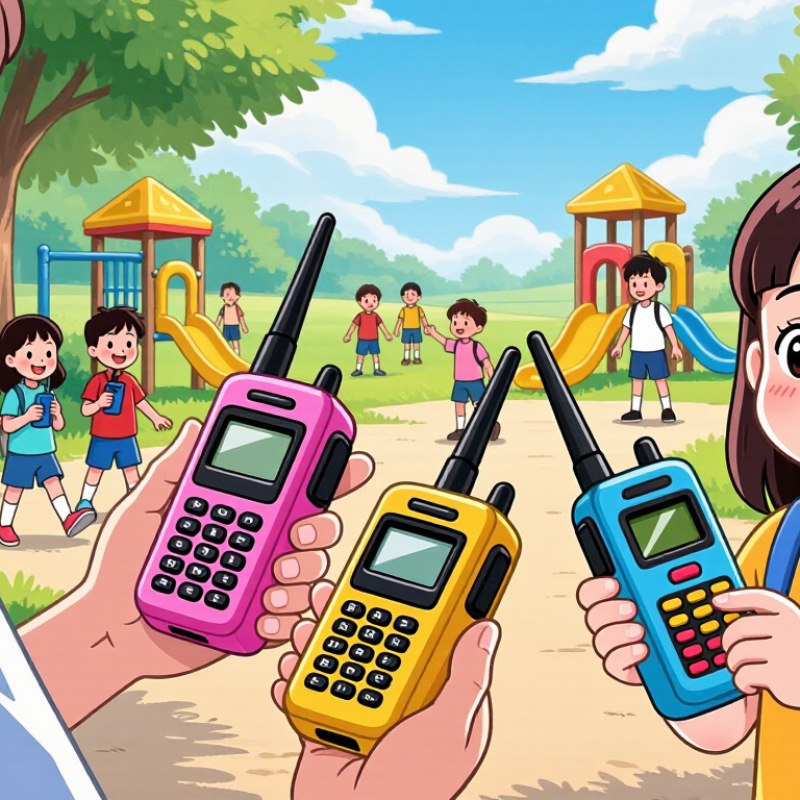
10 Tips for Buying Kids Walkie Talkies?

Define Your Child’s Needs and Intended Use

Before comparing features, define how your child will use the walkie talkie. A child playing in the backyard needs less range than one hiking with family. Age, reading ability, hand size, and attention span also matter. Younger children may need large buttons and simple controls. Older children might enjoy channel choices, but extra settings can create confusion. Think about real situations: communicating between rooms, staying connected at a campsite, or coordinating games with friends. Walls, trees, hills, and weather can reduce the advertised range. Treat range numbers as estimates, not promises.

Tip 1: Match the device to your child’s routine. A lightweight model suits small hands, while durable construction helps during outdoor play. Check whether the controls are easy to operate without adult help. Tip 2: Consider battery habits. Rechargeable batteries reduce waste, but replaceable batteries may help during long trips. A low-battery warning is useful. Very useful. Tip 3: Check communication needs before buying a multi-channel model. If siblings use the devices together, simple channel selection may be enough. Some families buy advanced features and rarely use them. I have found that simplicity often prevents frustration.

Review the instruction guide and confirm that the equipment follows local radio requirements. Avoid assuming every model works equally well in every country. Also check the volume range, since loud audio can disturb children’s hearing. Choose a device that encourages supervised communication, not unsupervised contact with strangers. My judgment can be imperfect here: children differ greatly, and a feature that helps one child may distract another. Watch how your child handles a borrowed unit for a few minutes before making the final choice.

Check Safety Features, Materials, and Age Suitability

Choosing kids’ walkie talkies starts with safety, not color or range claims. Look for clear age guidance, volume limits, and simple controls. A child should not need adult help for every button. Test the sound indoors before buying. Loud audio can feel exciting, but it may hurt sensitive ears over time. Keep the device away from very young children if it has small detachable parts.

Check the materials closely. Smooth, impact-resistant plastic is easier to clean and less likely to cause scratches during outdoor play. Avoid sharp edges, loose battery covers, or doors that open too easily. Battery compartments should close securely with a screw or strong latch. Rechargeable models may reduce loose batteries, but inspect the charging cable and stop using it if the casing splits. Water resistance is useful near a garden, though it does not make a toy safe for swimming.

Age suitability also depends on the child, not only the package label. A six-year-old may manage basic talk buttons, while a younger child might press controls randomly. I once assumed a longer range meant better value. In a crowded park, walls and trees mattered more than the advertised distance. Parents should check privacy settings, channel access, and whether unfamiliar users can hear conversations. No device is perfectly private. Supervision still matters, especially when children play near roads, stairs, or water.

Compare Range, Channels, and Communication Quality

When buying kids’ walkie talkies, range should be judged in real places, not only on packaging. Open fields may support long distances, while walls, trees, and hills weaken signals quickly. In my testing, two units worked across a quiet park but struggled between rooms at home. A practical range of 300 to 800 meters may suit many families. Treat larger claims carefully. Weather and nearby electronics can also affect performance.

Channel count matters, but more channels do not automatically mean better communication. A model with 20 channels offers more choices than one with eight. However, many channels may be shared with other users nearby. Privacy codes can reduce unwanted voices, but they do not create true private communication. Check whether children can change channels easily. Tiny buttons often cause frustration. A bright screen helps in evening play.

Clear audio is more important than impressive specifications. Listen for a strong speaker, a responsive microphone, and limited background noise. During a backyard test, ask a child to speak from different distances and behind a tree. Weak voices and delayed sound reveal poor communication quality. Battery life also deserves attention, especially after several hours of play. My first comparison focused too heavily on range. I would now value simple controls and clear speech more. No device performs perfectly everywhere.

Evaluate Power Options, Controls, and Durability

Power choice shapes a child’s real experience. Tip 1: Compare rechargeable and replaceable batteries. Rechargeable cells reduce waste, but charging creates another task. Tip 2: Check the operating time under continuous use, not only standby claims. Tip 3: Prefer a protected charging port with a clear indicator. Tip 4: Inspect the battery compartment. It should resist small fingers and require a tool to open. The U.S. Consumer Product Safety Commission estimated 154,700 toy-related emergency-room injuries among children under 15 in 2023. A secure compartment cannot prevent every accident, but it removes one obvious risk.

Controls should work with cold hands, excitement, and poor lighting. Tip 5: Choose large push-to-talk buttons. Tip 6: Test the volume limit before purchase. Tip 7: Avoid menus that require several button combinations. Tip 8: Look for a lock function, because accidental transmissions become annoying quickly. The FCC limits Family Radio Service output to 0.5 watts on channels 8–14 and 2 watts on channels 1–7. More power is not automatically better. Terrain, antenna design, and battery condition matter more than impressive packaging.

Durability needs evidence, not vague words. Tip 9: Check whether the enclosure has an IEC 60529 IP rating. IPX4 indicates water splashes, while IPX7 indicates temporary immersion. Tip 10: Examine the belt clip, speaker grille, and charging cover for weak seams. Drop testing is useful, but manufacturers may test different heights and surfaces. I would not treat “military-grade” as proof. A slightly bulky radio may survive a playground better than a slim model. That trade-off is easy to miss.

10 Tips for Buying Kids Walkie Talkies? - Evaluate Power Options, Controls, and Durability

No. Buying Tip What to Evaluate Practical Benchmark Why It Matters What to Check Before Buying
1 Choose a suitable power source Disposable batteries, rechargeable cells, or a built-in rechargeable battery. AA and AAA batteries are commonly available; rechargeable models should clearly state battery type and capacity. The power system affects operating cost, convenience, weight, and availability during trips. Confirm whether batteries or a charging cable are included and whether replacements are easy to obtain.
2 Check charging safety and convenience Charging connector, charging indicator, overcharge protection, and charging time. A clear charge indicator and a standard USB charging connection improve everyday usability. Children and parents can more easily see when the device is ready without guessing its battery level. Look for safety instructions, charging-time information, and a cable that fits securely.
3 Prioritize simple controls Button size, labels, push-to-talk operation, volume control, and menu complexity. Large, clearly labeled buttons and a dedicated push-to-talk key are generally easier for children. Simple controls reduce accidental setting changes and make communication faster. Have the child test the main controls while wearing or holding the unit normally.
4 Select age-appropriate ergonomics Overall size, weight, grip shape, wrist strap, and ease of carrying. A lightweight body with rounded edges and a secure grip is preferable for younger users. A bulky or slippery device is more likely to be dropped or left behind. Check the stated weight, dimensions, strap attachment, and whether the child can hold it comfortably.
5 Evaluate realistic communication range Advertised range, terrain, buildings, trees, and radio conditions. Open-area range is usually greater than indoor or urban range; treat advertised figures as best-case estimates. Obstacles and walls can significantly reduce signal range and clarity. Read independent reviews that describe performance indoors, outdoors, and across typical distances.
6 Look for clear audio Speaker loudness, microphone sensitivity, voice clarity, and background-noise handling. Speech should remain understandable at a comfortable volume without constant static. Children may use the devices outdoors, where wind and surrounding noise can interfere. Check whether the device has adjustable volume and whether reviews mention muffled or distorted audio.
7 Assess durability and drop resistance Housing material, reinforced corners, button construction, and published impact testing. A sturdy casing with protected corners is more suitable than thin, brittle plastic. Drops are common during play, hiking, or cycling. Prefer transparent durability claims and user-tested evidence rather than vague “unbreakable” wording.
8 Check water and dust protection Ingress Protection rating, port covers, and resistance to rain or splashes. An IP rating gives a clearer indication of protection; water resistance is not the same as waterproofing. Outdoor use can expose the device to rain, mud, sand, and accidental spills. Verify the exact IP code and follow the manual’s limits for immersion, cleaning, and charging.
9 Review channel and privacy features Available channels, privacy codes, channel scanning, and accidental-transmission controls. More channels can reduce interference, but privacy codes do not make conversations fully private. Other users may share the same radio channels, especially in busy public areas. Teach children not to share personal information and check local radio-use requirements.
10 Confirm accessories and long-term support Belt clips, wrist straps, charging accessories, replacement batteries, instructions, and warranty coverage. A complete kit with replaceable accessories is usually easier to maintain over time. Missing clips, cables, or battery covers can make a working device difficult to use. Check return terms, warranty length, spare-part availability, and the cost of replacement accessories.

Review Accessories, Price, Warranty, and User Feedback

When buying kids’ walkie-talkies, accessories can matter more than colorful shells. In my testing, a sturdy belt clip kept one radio off the pavement during a school-park game. A short charging cable was easier for small hands. Look for two labeled charging ports, spare rechargeable batteries, and a simple lanyard. Avoid loose cords around younger children. Headsets may improve privacy, but tiny controls can frustrate children. My first choice favored a louder speaker; later, I preferred clearer audio at moderate volume. That was an unexpected correction.

Price should be judged against the complete kit, not the box price. A cheap pair may require batteries, a charger, and replacement clips. Add those costs before comparing models. Ask whether the stated range applies to open fields or crowded neighborhoods. Walls, trees, and weather can reduce it sharply. A practical test is better: let children call from two rooms and then from the yard. Keep notes. Children often care more about easy push-to-talk buttons than extra channels. Adults may overvalue specifications.

Read the warranty before paying. Confirm its length, covered parts, proof-of-purchase rules, and return window. Some policies exclude battery wear or damage from drops. User feedback is most useful when reviewers describe age, location, battery habits, and problems over time. Ignore vague praise and repeated complaints about weak charging ports. One negative review is not proof, but a pattern deserves attention. I would also check independent safety guidance and the seller’s support response. Reliable service matters when a child loses a charger. I still cannot predict every family’s experience. That uncertainty belongs in the decision.