Top Optical SFP Modules for Your Network?
Network upgrades often begin with a small component that carries a big responsibility: the optical transceiver. Cisco’s Annual Internet Report, published in 2020, projected global IP traffic would reach 396 exabytes per month by 2022. That forecast illustrates the pressure on networks to move more data efficiently, though it is not a measurement of today’s traffic. For network planners, choosing an Optical Sfp Module is therefore about more than finding a port that fits.
The right module must match the switch’s supported data rate, fiber type, wavelength, and transmission distance. A 10G module for a short multimode link, for example, may not suit a long single-mode connection between buildings. IEEE 802.3 standards define Ethernet interfaces and link requirements, while equipment vendors publish compatibility guidance for specific devices. Check both before purchasing. A familiar connector alone does not guarantee a working link.
Small part. Real consequences. This guide compares common SFP and SFP+ options, explains key specifications, and highlights practical selection factors such as reach, power, and diagnostics. It also considers an often-overlooked detail: the same module can behave differently across platforms. That makes vendor compatibility checks essential, even when the listed specifications appear identical. There is no universal “best” module; the right choice depends on the link and the equipment at each end. And specifications can be confusing. I would verify them twice.
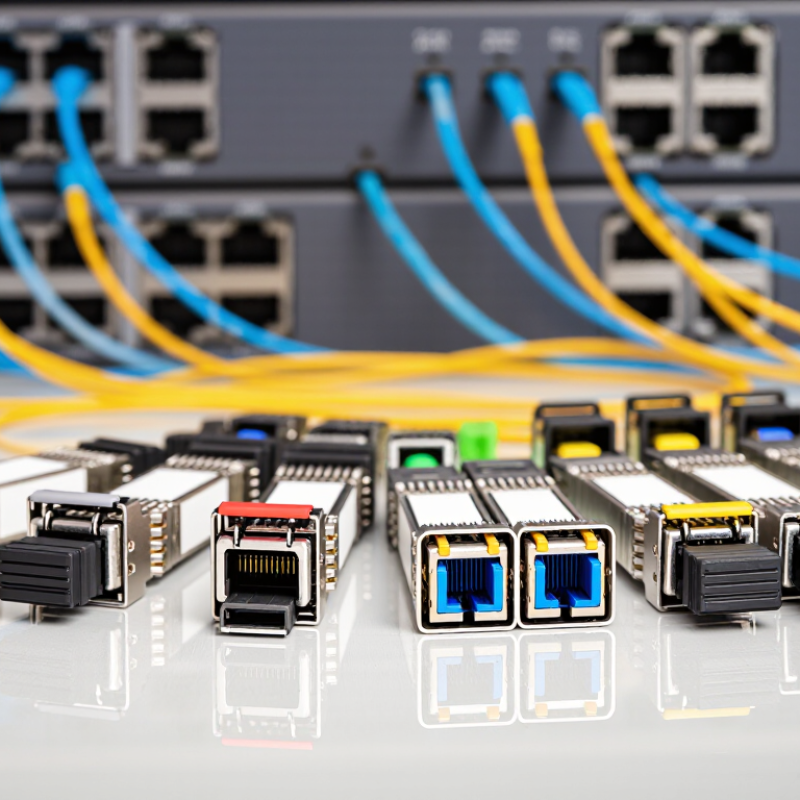
Optical SFP Modules: Definition and Core Components
An optical SFP is a compact, hot-pluggable transceiver that converts a switch’s electrical signal into light, then converts incoming light back to data. Inside, a transmitter uses a laser or LED, while a photodiode handles reception. The module also contains control circuitry and memory that report its identity and operating details to the host device. A fiber connector, often LC, joins the module to the cable. Simple, but precise.
The ITU’s Facts and Figures 2023 estimated that 5.4 billion people, about 67% of the global population, used the internet. That scale depends on networks moving data reliably, including across fiber links. SFP describes a form factor, not one universal speed or reach. For example, SFP and SFP+ commonly serve different data-rate classes. Wavelength, fiber type, link distance, and host-device compatibility all matter. A module can fit physically and still be the wrong match—a detail that is easy to overlook.
Tip: Check the device specification and link budget before installation. Match wavelength and fiber type at both ends, then inspect the connector face for dust. Clean connections matter. One caveat: stated reach is a guideline, not a promise; real results depend on the full link.
How Optical SFP Modules Transmit Data
Top Optical SFP Modules for Your Network?
How Optical SFP Modules Transmit Data
An optical SFP module converts electrical data from a switch or router into light. The host device sends a serial bit stream through the module’s electrical contacts. Inside, a driver controls a laser or, in some designs, a vertical-cavity surface-emitting laser. The transmitter varies the light to represent the data. Light carries the signal.
At the other end, a receiving module collects that light through the fiber. A photodiode converts the changing optical signal back into an electrical one. The receiver then passes it to the connected device, where the data is checked and processed. In practice, the path is less tidy than a diagram suggests: weak signals, dirty connectors, or mismatched fiber can disrupt communication.
Wavelength and fiber type matter. Shorter links commonly use 850-nanometer optics with multimode fiber, while many single-mode links use wavelengths near 1310 nanometers. These are common choices, not universal rules; check the module and equipment specifications. Technicians also verify transmit-to-receive polarity and inspect connector ends before troubleshooting deeper. A tiny speck of dust can cause a frustrating fault, and it is easy to overlook.
Common Types and Network Applications
Optical SFP modules connect switches, routers, and servers over fiber or copper. The right type depends on link speed, cable, and distance. For short links inside a data room, 1G SX or 10G SR modules typically use multimode fiber. Their reach is limited, but they suit connections between nearby racks. Check the fiber grade and connector before installation. Small details matter.
For longer campus links, 1G LX and 10G LR modules use single-mode fiber. They can span greater distances, though the actual reach depends on the module specification and the optical link budget. BiDi modules send and receive signals on different wavelengths through one fiber strand. They can help where spare fiber is scarce. A matching pair is essential. Copper SFP modules, often using RJ45 connectors, serve short Ethernet links when fiber is unnecessary.
Application shapes the choice. A storage network may need 10G or faster links with predictable latency, while a building uplink may prioritize distance. Confirm port speed, supported module type, wavelength, and fiber mode before ordering. Digital diagnostics can report temperature and transmit power, but readings do not replace inspection. Dust on a connector can still disrupt a clean-looking link. Compatibility checks are useful, yet real networks can be messy; older cabling records are not always accurate. Verify the installed path, not just the label.
Compatibility, Installation, and Maintenance Basics
Top Optical SFP Modules for Your Network?
Compatibility, Installation, and Maintenance Basics
Choosing an optical SFP module starts with the equipment, not the price. Check the switch documentation for supported module types, data rates, and interface requirements. Then match the module’s wavelength and fiber type to the link. Multimode and single-mode fiber are not interchangeable, and connector style matters too. Confirm that the specified reach covers the actual cable run, including patch panels. A small mismatch can leave a link dark.
Installation rewards patience. Follow the device instructions; many modules support hot swapping, but not every system handles it the same way. Keep the protective caps on until connection, and avoid touching the optical ends. Clean and inspect connectors with tools made for fiber. Dust is stubborn. Seat the module firmly, connect the correct fiber pair, and check the link indicators. Never look directly into a fiber or module port.
Maintenance is mostly careful observation. Record baseline transmit and receive power readings when available, then compare them during routine checks. Rising errors, unstable links, or unusual temperature readings deserve investigation. Check patch cords and connector cleanliness before replacing a module; the fault may be elsewhere. It is tempting to blame the SFP first, but that shortcut can waste time. Even good records are imperfect, so note cable changes and environmental conditions alongside readings.
Top Optical SFP Modules for Your Network? - Compatibility, Installation, and Maintenance Basics
| Module Type | Data Rate | Wavelength and Fiber | Typical Maximum Reach | Compatibility Basics | Installation and Maintenance |
| 1000BASE-SX | 1 Gb/s | 850 nm; multimode fiber | Up to 550 m on suitable OM2 fiber | Requires a 1 Gb/s SFP port and multimode cabling. Confirm the supported fiber grade and reach for the link. | Use matching multimode fiber and connectors. Keep dust caps on unused ports, and clean and inspect both connector ends before connection. |
| 1000BASE-LX | 1 Gb/s | 1310 nm; single-mode fiber | Typically up to 5 km on single-mode fiber | Requires a compatible 1 Gb/s SFP port. Check the device’s supported module specifications and the link’s optical budget. | Verify that the fiber type and connector match the link design. Avoid tight bends and inspect connectors if a link has high loss. |
| 10GBASE-SR | 10 Gb/s | 850 nm; multimode fiber | Up to 300 m on OM3 or 400 m on OM4 | Requires a 10 Gb/s SFP+ port that supports the module. Confirm the fiber grade and both endpoint data rates. | Use multimode fiber at both ends. Clean connectors with fiber-safe tools, and check link status and error counters after installation. |
| 10GBASE-LR | 10 Gb/s | 1310 nm; single-mode fiber | Typically up to 10 km | Requires a compatible 10 Gb/s SFP+ port and a matching single-mode module at the far end. | Check connector cleanliness and polarity. Never look into a fiber or optical port; use an appropriate optical power meter for testing. |
| 1000BASE-BX (BiDi) | 1 Gb/s | Single-mode fiber; one strand with complementary transmit and receive wavelengths | Commonly up to 10 km, depending on the module specification | Use a compatible pair with complementary wavelengths at opposite ends. Confirm port support, wavelength pairing, and specified reach. | Connect the designated single fiber between endpoints and keep connectors clean. Label each end with its wavelength or endpoint role for easier servicing. |
General checklist: Confirm port form factor, supported data rate, module specifications, fiber type, connector, and link budget before purchase. Install modules with the equipment manufacturer’s procedure, observe electrostatic-discharge precautions, and clean fiber connectors with approved tools. Actual reach depends on fiber quality, connectors, splices, and the module’s optical specifications.
